AI Integration in Production: How to Fix Failures After Testing
A pattern shows up often enough in enterprise AI integration rollouts that it deserves a name. The integration performs flawlessly in staging, gets signed off, and ships. Within two or three weeks, someone on the operations team is quietly routing around it.
Support tickets increase. A finance lead mentions the “AI thing” keeps duplicating entries. Nobody wants to say the project failed, so it limps along, half trusted, half used. The instinctive move is to blame the model. It’s the newest, least understood piece of the stack, and it’s easy to point at. This is often an AI integration problem, not necessarily a model problem.
But in most cases, the model is doing exactly what it did in testing. What changed is everything around it: the data feeding it, the systems receiving its output, the traffic volume, the credentials, the network conditions. AI integration in production is a systems problem wearing an AI costume.
That distinction is not academic. Retraining or swapping a model to fix a permissions bug wastes months. Rewriting the architecture to fix a mapping issue wastes just as much.
What follows is where these projects actually break between a clean pilot and a live enterprise environment, and what to fix at each point, in the order it’s usually worth checking.
Why Testing Success Doesn’t Predict Production Stability
Test environments are forgiving by design. Sample data is deduplicated and complete. Nobody is hitting the endpoint from six departments at once.
The service account used in staging usually has broader access than security ends up approving for production. None of this is negligence; it is just how test environments get built. It is exactly why passing one proves less than teams assume. AI Integration and AI system integration challenges often become more apparent when moving from staging to production.
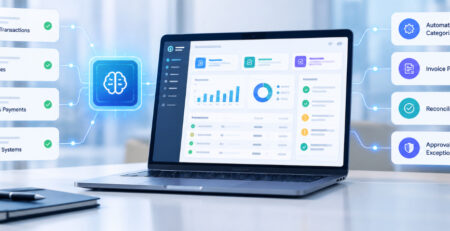
Production differs on the dimensions that matter most. Data is messier, traffic is concurrent rather than sequential, and permission scopes get tightened without the integration team being told. A live workflow automation touches multiple systems rather than one clean endpoint.
Rate limits and latency that never surfaced in a solo test script become real constraints once dozens of workflows fire simultaneously.
A pilot proving the model can classify invoices or draft responses accurately says nothing about whether the surrounding plumbing survives Monday morning. Production readiness and model accuracy are separate claims. Conflating them is where most of these projects go sideways.
Fix the Data and Mapping Layer First
This is kinda the most common root cause, and it is also the least dramatic thing to fix, which is probably exactly why it gets skipped. Take a sample from real production records, not that curated demo set, and then check for what is missing, what is duplicated, or what looks malformed, honestly.
A customer name with three different capitalizations looks trivial. Until it silently creates three vendor entries in the ERP. Schema drift compounds this. The CRM schema used at build time is rarely the schema six months later; fields get added, renamed, or repurposed by another team without the integration owner knowing.
A mapping that was correct on day one quietly goes stale. Legacy records make it worse: entries that predate a required field, duplicate customer IDs from a merger, exceptions the AI was never shown during testing and has no reasonable basis for handling well.
The structural fix is validation at the handoff, not validation after the fact. Make sure completeness and type correctness are verified before the data even gets to the AI call, not after three other systems downstream when something has already broken. It’s kind of unglamorous work, but it quiets the noisiest input factor before the model ever gets it. AI Integration and AI customer support integration depend on reliable data handoffs to keep downstream workflows stable.
Fix What Happens to the AI’s Output
The mirror problem sits downstream. You can end up with a model that spits out a technically correct and pretty reasonable answer, but the CRM or ERP still rejects it anyway because it was expecting a very specific format and it received something that was nearby , not the same thing. So even if the logic is sound, the system acts like it is not, since the arrangement, the structure, the whole pattern has to match, or else it gets turned away.
Structured output should be validated before it is trusted. JSON checked for parseability, required fields checked for presence, types checked against what the receiving system actually expects. Under production load, truncated or malformed responses happen often enough that assuming well-formed output every time is optimistic to the point of risk.
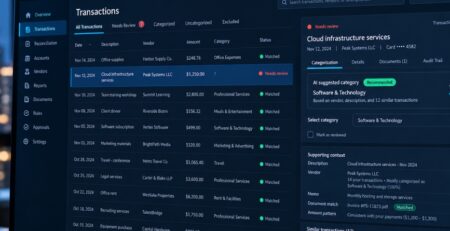
The step teams skip most often is confirming what happens on the downstream side, like did it really accept the change, not merely that the request returned fine. A CRM API can give back a 200 response but still refuse a particular attribute it doesn’t recognize, and the failure stays quiet. Logs look “healthy” everywhere, except for the one detail that matters.
When the AI answer just can’t be properly processed, there should be a clear fallback mechanism in place. Like, don’t let it vanish or try to force a bad value straight into a live system. Instead, queue it, flag it as “needs review”, then route it toward a human. That way nothing goes missing, and you avoid any kind of erroneous insertion later.
Fix Reliability Under Real Load
Three failure modes tend to arrive together once production traffic hits. They are worth fixing as a set rather than one at a time.
- Rate limits and timeouts: Limits that felt generous in a demo become a real constraint under concurrent load. Latency that averaged 400ms in testing can spike hard enough that a timeout tuned for the calm version of the system starts failing requests that would have succeeded with a few more seconds.
- Retries that create duplicates: The instinct on failure is to retry immediately and repeatedly. Applied without discipline, that’s how a slow dependency becomes a cascading outage and how a CRM update that actually succeeded server-side gets applied twice because the confirmation never made it back.
- In a finance or CRM context, that is not cosmetic. It’s a data integrity problem with real reconciliation cost. Exponential backoff prevents the pile-on; idempotency a unique transaction ID checked before any action executes, prevents duplication regardless of what happened to the original request. Both are standard distributed systems patterns; an AI driven workflow is still a distributed system, just with a model as one of the nodes.
- Credentials that don’t match staging: AI integration in production service accounts are often scoped tighter than staging ones, sometimes without the integration team being told.
Worth checking directly: do production credentials actually reach every system the workflow touches? Are the endpoints pointing at production rather than a hardcoded staging URL? Is production actually running the intended model version and prompt, rather than a default that slipped through?
Fix the Architecture, Not Just the Symptoms
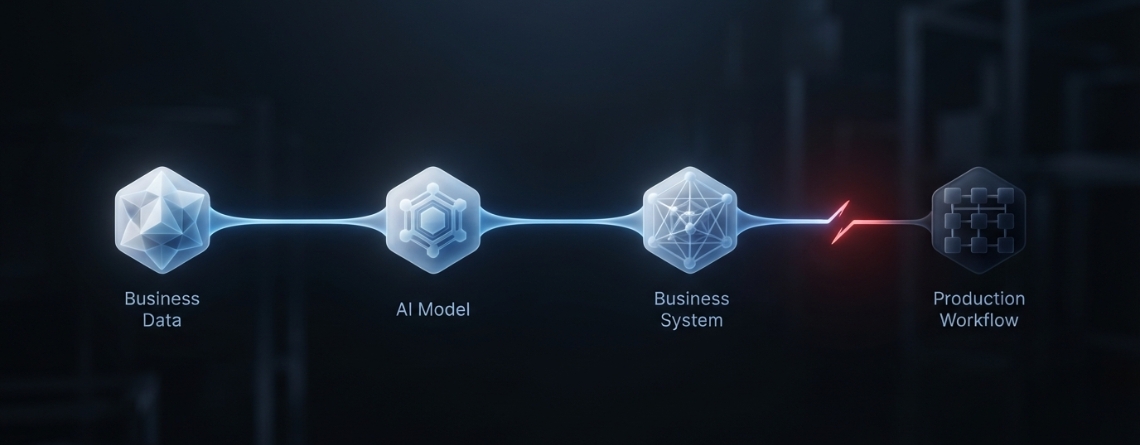
Trace the workflow as if its a straight literal path: CRM to the integration layer, integration layer to AI, then back thru the integration layer, and finally back to the CRM. In most AI integration in production incidents, you end up finding it was one of these handoffs that did it, not some lonely system, standing all by itself. When you treat the whole chain like one black box you can easily miss the failures that occur in between systems, not inside of one of them.
Two things to check at each stage:
- Handoff level fixes: each handoff needs it own validation and also its own visibility into the data at that exact point, not one single log line for the whole workflow.
- Synchronous bottlenecks: a workflow where the AI call sits directly in a user facing critical path makes every latency spike feel like a broken product. moving it to a queue based, asynchronous pattern decouples user experience from AI response time, and it does feel smoother, too.
- Tight coupling: when systems call each other directly with no buffer , a slowdown in one becomes a slowdown in all of them, no amount of individual error handling fixes that by itself.
The signal that it is architecture rather than configuration: the same category of failure keeps recurring across different triggers, or a fix in one place keeps surfacing a new failure elsewhere in the chain. That pattern means it’s time for a redesign conversation, not another patch a distinction covered further down.
Fix Failure Handling and Watch the Whole Workflow
Every dependency here will fail eventually the AI API Integartion, the CRM, a third-party service. What makes a resilient integration feel, in the long run, stronger than a fragile one is kinda what happens next, not the fact that it happens at all. Like, the “next” part is the real divider, not the moment itself.
Graceful degradation means the workflow keeps functioning at reduced capacity. Queue a request if the AI is unavailable rather than failing the transaction outright. Hold state and retry once a downstream system recovers rather than losing the work.
Anything touching a financial transaction or a customer-facing commitment should route to human review on failure rather than silently retrying or silently dropping. One failed dependency should never be able to take the entire workflow down. If it can, that’s an architecture gap, not bad luck.
Most teams monitor the AI call itself and stop there latency, error rate, maybe token usage. That’s the least interesting part of the system to watch.
Workflow completion rate, downstream update failures, retry frequency, invalid response rate, and human override rate tell a much more complete story. Correlation IDs threaded through every system a transaction touches are what let a single failed transaction be traced end to end in minutes instead of an afternoon of cross-referencing logs.
The override rate really deserves particular attention, because its the one metric that kinda bridges technical well-being to the real world business side. You know, a three-second delay could seem perfectly fine within an SLA, but if it keeps interrupting someone’s workflow often enough, theyll start doing workaround steps manually, as in, right there by hand.
Once that habit forms, it does not reverse just because the latency gets fixed later. A rising override rate is an early warning that the integration is failing operationally while every technical dashboard still shows green.
Decide Whether to Stabilize, Redesign, Replace
Once the actual failure points are identified, the response depends on what kind of problem was actually found. Getting this sequencing wrong is the most expensive mistake teams make.
- Stabilize: when the issues are configuration, mapping, permission, timeout, or monitoring gaps. This covers the large majority of production AI integration failures. The fix is targeted, and the existing architecture stays intact.
- Redesign it: if the problems are structural, the system can not scale. the components get way too tight together, there s no proper queueing where it should be, and then some single point of failure keeps knocking over the whole workflow. you can tweak settings as much as you want, but it does not rescue an architecture that was built for a totally different load profile.
- Replace the AI component: only after data, integration, and architecture issues have been ruled out with actual evidence. Only if, with everything else working correctly, the model still can’t reach the accuracy, latency, cost, or reliability requirements. Going after this route first, before dismissing the more usual suspects, is how many organizations end up rebuilding the wrong part of the system.
When to Bring in an AI Integration Specialist
Some situations are reasonable to work through internally. Others are not largely a function of how many systems are involved and how much internal visibility already exists across all of them.
When a failure spans multiple enterprise systems and no single internal team can see the whole chain, root-cause work stalls. Everyone can only see their own piece of it.
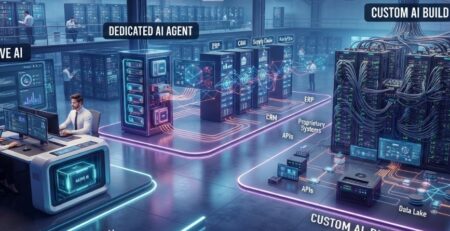
Legacy applications compound this. Systems built years before AI integration was a consideration often lack the documentation or architectural flexibility that makes debugging straightforward.
And when the integration is tied to a business critical process, or the instability is really, actively bending revenue or customer experience, then the price of still being down usually beats the cost of bringing in outside expertise especially if the diagnosis already seems to be circling architectural redesign, not some quick fix, you know.
Production AI Integration Fix Checklist
- Production data is validated and field mappings match live schemas
- AI responses are validated before downstream use, with confirmed acceptance not just a successful call
- Permissions, credentials, and endpoints match what production actually requires
- Rate limits, timeouts, and retries are configured for real concurrent load
- Duplicate actions are prevented through idempotency, not retry avoidance
- Dependency failures have defined fallbacks, with high-risk cases routed to human review
- End-to-end transactions are traceable via correlation IDs across every connected system
- Production-scale traffic and concurrency have actually been tested, not just volume
- Workflow ownership, escalation paths, and rollback procedures are clearly defined
Conclusion
An AI integration failing in production is not, by itself, evidence that the model needs to be replaced. In most cases, the model is doing basically what it was doing during testing. The tricky part is that the gap between AI integration testing and production usually comes not from the model itself, but from the environment around it. Like sure, it’s the “same” model, but not the same surrounding stuff.
What changed could be the way the data is being fed into it , or the systems that are receiving the output, or the pressure it’s under, and also the permissions it’s running with. These are pretty standard AI integration issues. And if you treat every production failure as if it’s a model problem only, organizations often end up rebuilding the wrong part of the system, which kind of defeats the whole point.
More useful discipline is sort of finding the exact point where it fails before choosing a fix, and really prioritizing reliability across the whole integration path not just the AI call that seems to sit in the middle of it. That little difference separates an integration that actually survives contact with production from one that quietly gets bypassed by the people it was built to help .
If your integration is in that spot right now, E2E can trace the actual failure across your data, APIs, and architecture, and fix the real cause instead of the model everyone assumes is broken.