AI Bookkeeping with QuickBooks: What Can Be Automated?
The question for finance leaders is no longer whether AI can automate bookkeeping work. The more useful question is which activities can be automated without creating new accounting risk.
That distinction matters. A regular $200 software charge is one thing. Sorting it out is not the same as labeling a one time $40,000 payment.
If a company is looking at AI bookkeeping QuickBooks, a good plan is steady automation. Let it handle tasks that repeat, check the output, and send anything unclear to the right staff member.
At E2ESP, we treat it as a workflow design issue. It is not just about turning on a QuickBooks tool. The real gain is picking the places where AI can work, choosing what proof it uses and keeping human review where it still matters.
Transaction Categorization: A Strong Candidate for AI Automation
Sorting transactions is a solid thing to automate. A lot of it is not random. Many charges come from the same places. Expenses often land in the same kinds of buckets. The notes on the transactions usually look similar too. Past choices also help. With that context, an AI system can suggest a category or place the transaction into one without a lot of back and forth.
QuickBooks Online already uses AI to suggest categories based on transaction details and previous activity. Its banking experience also provides confidence signals designed to distinguish stronger matches from transactions that may need closer review.
The important point is not that AI can categorize transactions. It is what happens when the transaction does not fit the expected pattern.
A monthly software vendor charging roughly the same amount to the same account may justify straight-through processing. If the amount suddenly increases fivefold or the transaction description changes materially, the workflow should reconsider that assumption.
Effective transaction categorization therefore depends on confidence and context rather than vendor recognition alone. Transactions that fall outside normal patterns should move into exception handling in accounting rather than being forced through automation.
Bank Transaction Matching and Routine Processing
Bank transaction processing is another area where AI can remove a large amount of repetitive review. A downloaded bank transaction may correspond to an invoice, bill, receipt, payment, transfer, or another record already in QuickBooks. If the match is not dependable, finance staff may spend time looking through records. They can also end up adding the same item twice.
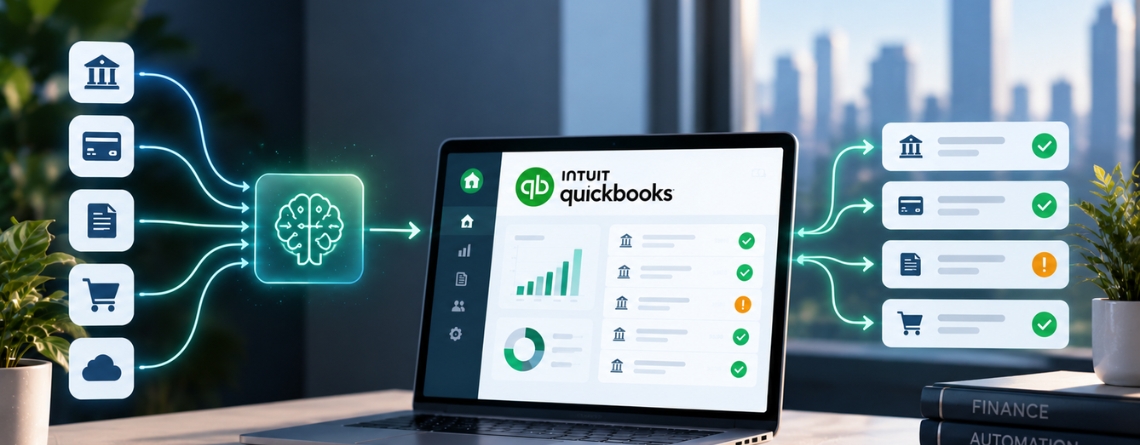
QuickBooks can already suggest matches for downloaded transactions. It links them with existing records like invoices, bills, receipts, and transfers. Its newer AI-supported banking experience can also identify potential partial and combined matches.
In a larger automated bookkeeping workflow, AI can go further by considering information outside QuickBooks.
For example, a payment processor may deposit $18,430 into the bank, while the related customer transactions total $19,000 before processor fees and refunds. The bank record alone does not explain the difference. An integrated workflow can pull the settlement data, compare it with accounting records, and prepare the likely match.
The value of automated transaction matching is not simply faster processing. It is reducing the number of transactions that require human investigation while keeping questionable matches out of automatic posting.
Reconciliation Support: Reduce Manual Investigation
Reconciliation is often where automation gaps become visible. A bank balance does not match the ledger. Two records appear to represent the same payment. A deposit is missing from one system. A fee was deducted before a settlement reached the bank.
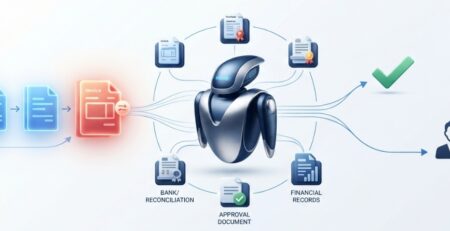
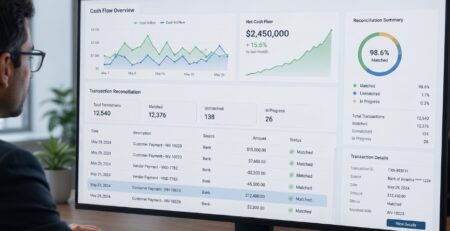
Identifying the mismatch is usually straightforward. Investigating why it happened consumes time. AI tools can help with reconciliation automation. They can match records that should relate to the same item. They flag things that do not line up. They can also spot possible duplicate entries. Next, they group the likely reasons for the differences. They show the details that support each finding. Then an accountant checks the exception before a final decision is made.
This moves Financial reconciliation away from manually checking each transaction. It focuses on looking at the items that actually need help. The distinction is important. AI does not need to make every reconciliation decision autonomously to create substantial value.
Recurring Bookkeeping Workflows Are Easier to Automate
Recurring expenses and repeated vendor transactions usually offer strong automation potential because their behavior is easier to predict.
Software subscriptions, rent, processor fees, regular contractor payments, and other stable expenses may follow similar classifications month after month. AI can use that historical pattern to reduce repetitive bookkeeping work. But frequency alone should never determine whether something gets processed automatically.
Consider a vendor that normally charges between $5,000 and $6,000 each month. A new transaction for $5,400 fits the established pattern. A $24,000 transaction from the same vendor does not.
The vendor is familiar, but the transaction is no longer predictable. Changes in amount, classification, documentation, business purpose, or vendor behavior should be capable of moving a transaction out of the automated path. For bookkeeping workflow automation, predictability is a better measure of automation eligibility than repetition alone.
Validation: The Control Layer Between AI and the Ledger
A weak AI Agent accounting workflow looks like this:
QuickBooks Data → AI Decision → Accounting Record
That gives too much authority to one decision point.
A stronger architecture looks more like:
QuickBooks Data → AI Processing → Validation → Confidence Assessment → Exception Routing → Approval When Required → Accounting Record
The validation layer may check historical consistency, duplicate records, expected amounts, vendor behavior, accounting rules, supporting documentation, materiality limits, and approval requirements.
Suppose AI correctly recognizes a transaction as legal expenditure. It might still need a second look if the amount is unusually high. Also, if it is tied to a purchase of another company, not regular day to day work, it could be handled differently. The model can therefore produce a reasonable answer while the workflow correctly refuses to post it automatically.
E2ESP treats accounting workflow validation as part of the architecture from the beginning, rather than adding controls after AI has already been given authority to change financial records. For finance systems, model confidence is useful. It is not, by itself, an accounting control.
Where QuickBooks AI Bookkeeping Needs Integration
QuickBooks may hold the accounting record, but the information needed to make the correct bookkeeping decision often lives elsewhere.
A company may use QuickBooks alongside banking systems, Stripe or another payment platform, expense-management software, a CRM, internal approval tools, document repositories, or other financial systems.
Consider an invoice payment that does not match cleanly. QuickBooks shows the accounting record. The bank shows the deposit. The payment platform explains the settlement. The CRM may identify the customer relationship. An internal system may contain the approval or supporting agreement.
A useful AI workflow may need context from several of those systems before making a decision. At this point, AI Bookkeeping QuickBooks automation becomes a financial system integration problem.
The architecture has to manage data movement, permissions, system handoffs, source-of-truth rules, failed API calls, duplicate actions, and audit logs. AI cannot compensate for unreliable integration underneath it.
This is also where QuickBooks AI agents can extend basic automation. Instead of only recommending a category, an agent can potentially gather information from connected systems, validate the evidence, and route the transaction to the appropriate next step.
How Do You Know the Automation Is Working?
Hours saved matter, but they should not be the only success metric.
A bookkeeping automation project can increase the percentage of transactions processed automatically while creating more correction work later.
For leadership, the useful measures are automation rate, exception rate, manual review volume, incorrect categorization rate, reconciliation effort, approval workload, exception resolution time, post-automation accuracy, and the ability to handle higher transaction volumes without adding equivalent headcount.
Those measures need to be considered together. An 85% automation rate is not necessarily better than 70% if accountants spend more time correcting the automated output. The goal is not to maximize the amount of work AI touches. It is to reduce routine work without increasing accounting risk.
Automate the Predictable and Control the Uncertain
AI bookkeeping QuickBooks works best when organizations stop treating automation as an all or nothing decision.
Predictable transactions can move faster. Automated decisions can be validated. Unusual activity can become an exception. High-risk decisions can remain under human control.
The operating model is straightforward:
Automate predictable work → validate decisions → isolate exceptions → involve humans where judgment matters.
This method helps a company grow automation in its accounting process. It does not let AI take full control of the ledger.
E2ESP builds the workflow to match how the finance team already operates. It uses QuickBooks workflows, AI agents, set accounting rules, links to financial tools, approval steps, and checks to confirm the data.
Ready to Automate More of Your QuickBooks Workflow?
Find the AI bookkeeping QuickBooks tasks that repeat often enough to automate, and keep the key choices for your team to handle. E2ESP makes connected QuickBooks AI workflows that match your accounting steps, your tools, and your approval rules.
Talk to E2ESP about your QuickBooks AI automation opportunities.