QuickBooks AI Automation: How to Validate Accounting Decisions
QuickBooks AI automation is useful only when the decisions behind it can be checked. For finance leaders, that means more than automating categorization, reconciliation, or payment matching. The real requirement is validation: making sure the system has enough context, follows accounting rules, catches exceptions, and knows when a human needs to step in.
Automating accounting tasks is no longer the hard part. The harder question is what happens after an AI system decides where a transaction belongs, whether two records should be matched, or whether an exception can be cleared.
For a CFO, controller, or CTO, that distinction matters. A workflow can process thousands of transactions quickly and still create a serious control problem if no one can explain why certain decisions were made or identify when the system got one wrong.
That is the real challenge with QuickBooks AI automation. Speed matters, but reliable decisions matter more.
The Real Risk Is Unvalidated Automation
Accounting automation rarely fails in one dramatic moment. The problems are usually smaller and harder to notice. A transaction gets categorized incorrectly. A reconciliation rule creates a false match. A new payment is approved because it looks similar to previous activity. A reviewer assumes the automated result has already been checked.
One error may not seem significant. Repeated across thousands of transactions, it affects reporting quality, reconciliation effort, audit preparation, and the close process. This is one of the biggest accounting automation risks businesses face when they scale too quickly.
Poor automation does not always remove manual work. Sometimes it simply moves that work to the end of the process, where accountants have to investigate and correct mistakes after they have already entered the ledger. For leadership, the question should not be, “How much did we automate?” It should be, “How much did we automate safely?”
Where QuickBooks AI Automation Creates Control Problems
Transaction Categorization
Transaction categorization works well when vendors and spending patterns are consistent.
It becomes less reliable when descriptions change, vendors provide several types of services, historical records are inconsistent, or a transaction only appears similar to something processed before.
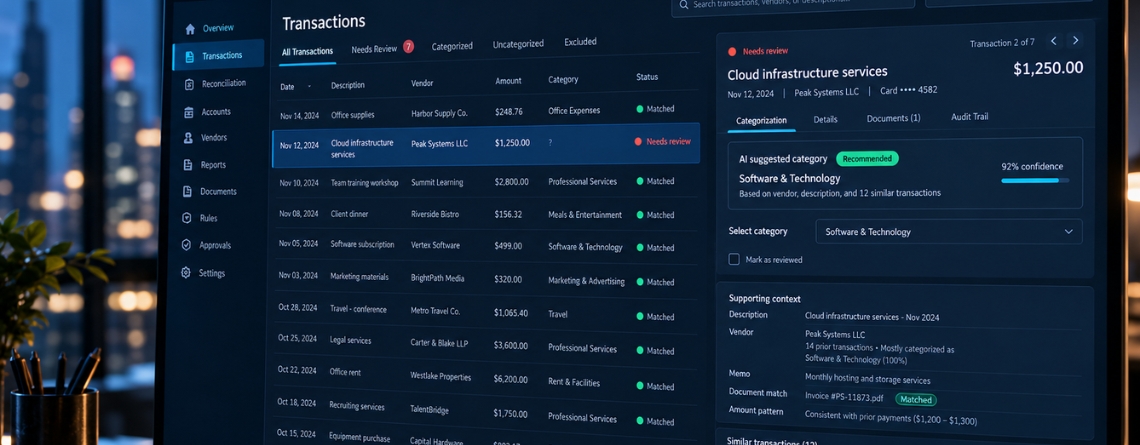
An AI bookkeeping QuickBooks workflow may recommend an account with high confidence. That still does not mean the classification is right for the current transaction. The recommendation needs context before it becomes an accounting decision.
Automated Reconciliation
AI bank reconciliation can remove a large amount of repetitive work, but matching logic has limits.
Two transactions may have the same amount. References can be incomplete. Customers may combine several invoices into one payment. Payment processors may deduct fees before settlement. A match that looks technically correct may still be wrong from an accounting perspective.
Invoice and Payment Matching
Similar problems show up in payment workflows. Partial payments, duplicate invoices, refunds, delayed settlements, and payments routed through several systems can all break simple automation. This is where QuickBooks accounting automation needs to look beyond the accounting record itself.
Journal and Adjustment Workflows
Journal entries, tax-sensitive transactions, revenue adjustments, and unusual corrections should not be treated like ordinary bookkeeping.
These decisions often depend on judgment, materiality, and accounting policy. Pattern recognition alone is not enough.
The Better Question: Can This Decision Be Verified?
Instead of asking whether AI can automate a task, finance leaders should ask:
Can the business verify the decision before it changes the financial record?
That question changes the way the workflow should be built.
A reliable QuickBooks AI accounting process should check decisions against accounting rules, historical treatment, source documents, vendor records, approval policies, materiality limits, and data from connected systems.
Take a simple example. A $75 software subscription from a known vendor may match months of previous transactions. The vendor, amount, invoice, and account treatment all line up. That decision may be safe to automate.
Now imagine a $75,000 payment from the same vendor with a different description and no expected invoice. The vendor history is still there, but the risk is completely different. This is why confidence scores are not enough. The system also needs business context.
Separate Accounting Decisions by Risk
Not every transaction needs the same level of control. Low-risk activity can include known recurring expenses, standard vendor payments, routine fees, and transactions with stable patterns. When the supporting data agrees, these may be suitable for straight-through automation.
Medium-risk decisions need more validation. A new vendor, an unexpected increase in value, incomplete documentation, or unusual payment behavior should trigger another check before posting.
High-risk decisions should follow a different path. Material journal entries, revenue adjustments, tax-sensitive classifications, and non-standard accounting treatment should normally move to a human reviewer.
The goal is not maximum automation. It is maximum safe automation. That also matters when measuring finance automation ROI. Saving ten minutes is not useful if an error later creates two hours of investigation.
Exception Handling Is What Makes Automation Scalable
The successful transactions are usually the easiest part of an automation project. The exceptions are what determine whether the system actually works in production.
A practical process should look something like this:
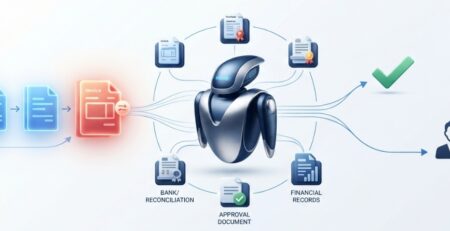
Detect → Validate → Approve → Escalate → Resolve
The important part is what happens when validation fails.
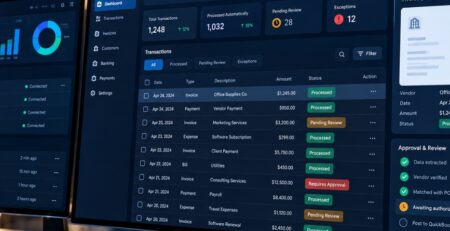
Good accounting exception handling needs a clear owner, enough context for the reviewer, an escalation path, a record of what the system attempted, and visibility into how the issue was resolved. Without that structure, AI can simply create a new queue of confusing transactions for the finance team.
With the right controls, the opposite happens. Routine work disappears from the accountant’s workload, and only the decisions that genuinely need judgment are surfaced.
QuickBooks May Not Have Enough Context on Its Own
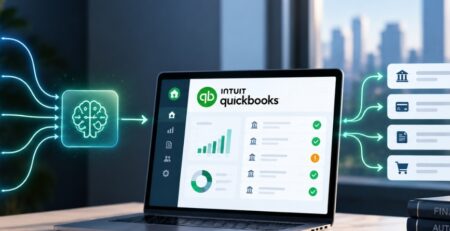
Many accounting decisions depend on data stored outside QuickBooks. A payment may need to be checked against a CRM contract. An e-commerce refund may need order data. A bank settlement may need payment processor details. An expense may depend on approval information from another platform.
That makes accounting system integration a major part of reliable automation. More advanced QuickBooks AI integration may need to connect banking systems, payment platforms, ERPs, CRMs, e-commerce applications, expense tools, and internal databases.
Without those connections, even capable QuickBooks AI agents can end up making decisions from incomplete information.
What a Production-Ready Setup Should Include
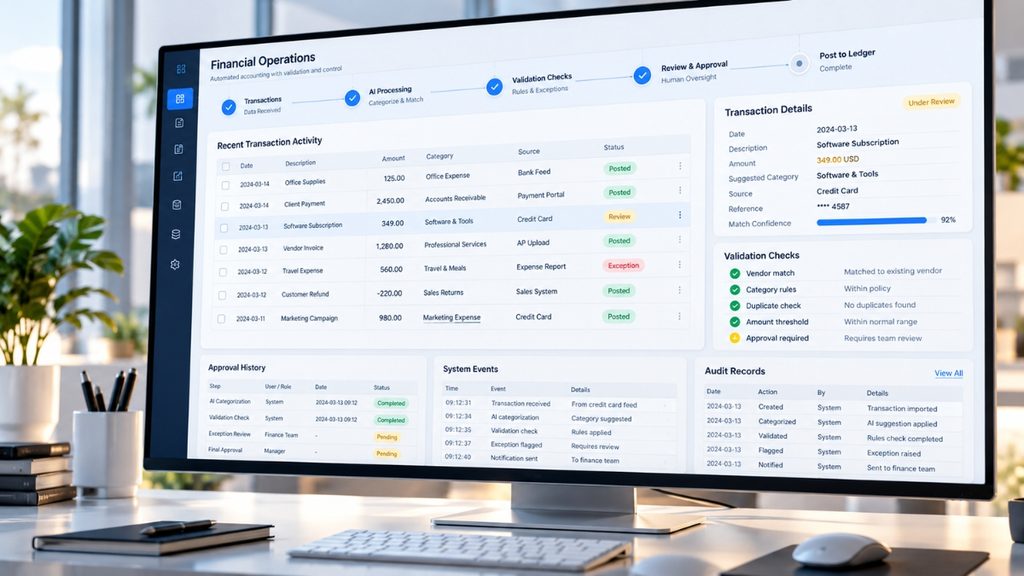
A production workflow needs more than an AI model connected to QuickBooks. The system should control what the AI can access and what actions it is allowed to take. Business rules should validate decisions. Materiality and confidence thresholds should influence routing. High-risk cases should reach the right human reviewer.
Logging matters too. Finance and technical teams need to know what data was used, what decision was proposed, what checks were performed, and why a transaction was approved or escalated.
API failure handling, permission controls, retry logic, audit trails, and monitoring are also part of a reliable setup. This is the difference between a useful demo and production-grade AI integration with accounting software.
How to Know Whether the Automation Is Actually Working
Automation volume is not enough. Decision-makers should look at correction rates, exception rates, false matches, unresolved items, reconciliation time, review effort, and the percentage of transactions that can move through safely without intervention.
A workflow that automates 90% of transactions may sound impressive. If accountants regularly reopen and correct those transactions, the number is misleading. The better measure is how much trusted manual work has actually been removed.
When a Custom QuickBooks AI Approach Makes Sense
Standard automation works well when workflows are predictable. A custom approach becomes more valuable when several systems contribute financial data, transactions have different risk levels, approvals vary by department, or exceptions require company-specific logic.
That is where custom AI agents for QuickBooks can provide more control. Instead of handling every transaction the same way, the workflow can collect context, apply business rules, assess risk, and escalate only when the decision falls outside approved boundaries.
How E2ESP Helps Build Reliable QuickBooks AI Automation
E2ESP approaches QuickBooks AI automation from the business process first. That means understanding how financial data moves, where decisions happen, which systems provide context, and where the real accounting risk sits before introducing automation.
E2ESP can connect QuickBooks with banking, payment, CRM, ERP, e-commerce, and internal systems so QuickBooks AI accounting agents have the information they need to make better decisions.
Validation rules, approval steps, exception handling, controlled AI access, logging, and monitoring can then be built around the actual workflow. This is what makes AI-assisted financial operations more dependable in production.
E2ESP helps businesses move beyond basic automation by building QuickBooks AI workflows that are integrated, validated, monitored, and designed around real accounting controls.
Validate the Decision Before Automating the Action
People used to ask, “Can we automate bookkeeping in QuickBooks?” Lately the bigger question is trust. If the system makes decisions, you have to show the decisions are correct. Good QuickBooks AI automation needs checks with real files. It also needs context, not just rules. You should control who can edit the settings.
You need a way to handle edge cases. And you need a clear path to pass issues to a person. You also should be able to view how it got to the final result. For finance and tech leaders, this is the point where time-saving turns into a process that can expand. It must still stay under control.
If you want to use QuickBooks automation in daily work, E2ESP can help you set up AI steps. These steps can connect the right tools, verify key choices, and keep human review where it counts.