QuickBooks AI Agents: Defining Automation and Human Oversight
QuickBooks automation keeps getting stronger. Once QuickBooks AI agents enter the picture, the question shifts. It is no longer only “what can we automate?” It becomes “how much control should the software have in our money steps?”
A QuickBooks AI Agent can spot a problem. It may suggest what to do next. It can draft a transaction. In some cases, it can finish the step without waiting for a human to sign off. Each represents a different operating model.
For CTOs and finance leaders, this distinction matters. The objective is not to remove people from accounting processes. It is to decide where human judgment adds value and where an agent can move work forward independently.
QuickBooks Automation vs. QuickBooks AI Agents
Traditional QuickBooks automation usually follows predetermined logic. A trigger occurs, a rule is evaluated, and an action follows. This works well when the process is predictable.
QuickBooks AI agents introduce another layer. An agent can evaluate context, work across multiple steps, and select an action based on the information available to it. Instead of following one fixed path, it can determine which approved path fits the situation.
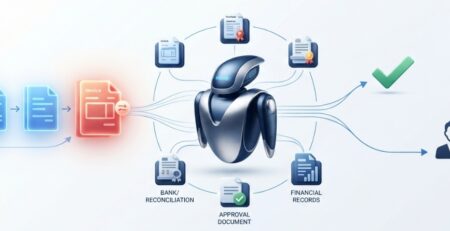
Consider invoice processing. Standard automation might create a transaction when specific conditions are met. A workflow run by an agent can look at the invoice. It can also check the vendor details. It can review past purchases too. Then it can draft the accounting entry. After that, it can decide if approval is required.
This change turns agent autonomy into something you choose for day to day work, not just a technical capability.
The Levels of Autonomy for QuickBooks AI Agents
Organizations do not need to choose between fully manual accounting and fully autonomous QuickBooks AI automation. Agent authority can exist at several levels.
Level 1: Observe
The agent monitors financial activity and surfaces information. It takes no action beyond identifying what may require attention.
Level 2: Recommend
The agent evaluates available information and recommends an action. A finance professional decides whether to proceed.
Level 3: Prepare
The agent prepares a transaction, entry, communication, or another workflow action. A person authorizes execution.
Level 4: Execute Within Defined Limits
The agent completes actions when established conditions are satisfied. Activities outside those conditions move to another approval path.
Level 5: Execute and Escalate Selectively
The agent manages defined parts of the accounting workflow automation independently and involves people when a situation meets specified escalation criteria.
These levels can coexist within the same finance function. The appropriate level depends on the decision being made rather than the technology itself.
How Much Authority Should a QuickBooks AI Agent Have?
The useful question is not whether a process is technically automatable. It is what authority the agent should have when handling it.
A recurring, low-impact action supported by consistent data may justify execution authority. A decision with significant financial impact may use the same AI capabilities but stop at recommendation or preparation.
Leaders should consider financial impact, decision complexity, frequency, data availability, reversibility, internal approval policies, and regulatory obligations.
This creates a more precise question for AI agent implementation: should the agent identify, recommend, prepare, or execute the action?
Where Human Approval Enters the Workflow
Human oversight does not have to sit at the end of every automated process. Approval can enter at different points depending on the transaction.
- Pre-execution approval requires authorization before an agent completes an action. This can suit transactions where business context matters.
- Threshold-based approval introduces people only when defined conditions are met, such as transaction value, account category, vendor, or business unit.
- Confidence-based approval uses the agent’s confidence in its assessment to determine whether an action proceeds or requires review.
- Post-execution review allows defined activities to proceed while finance teams review completed actions afterward.
- For AI agents for bookkeeping, this provides more flexibility than applying the same approval process to every transaction.
One QuickBooks Workflow Can Use Multiple Levels of Autonomy
A common mistake is assigning one autonomy level to an entire process. In practice, authority can change at each stage.
Consider an invoice:
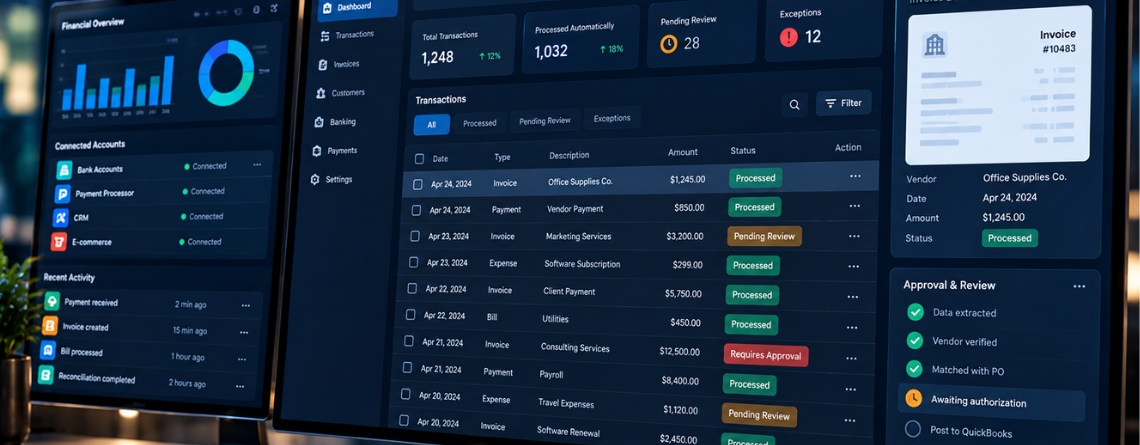
Invoice received → data extracted → vendor validated → QuickBooks entry prepared → conditions evaluated → action executed or authorization requested → outcome recorded
The agent may operate independently during data extraction and validation, prepare the accounting entry, and then require approval based on transaction value or another business condition.
This approach allows AI bookkeeping automation to reduce routine intervention without treating every financial decision as equivalent.
Designing Approval Thresholds for QuickBooks AI Agents
Approval thresholds translate finance policies into operational agent behavior. A business might vary agent authority according to transaction value, account category, vendor, transaction type, business unit, historical activity, user permissions, or financial period.
The combination matters. A transaction might be small enough for independent execution but still require review because it involves a new vendor or an unusual account.
This is where AI bookkeeping in QuickBooks workflows becomes more sophisticated than basic task automation. The system is not simply deciding whether automation is enabled. It is determining which action is permitted under a specific set of conditions.
Who Owns a Decision Made by a QuickBooks AI Agent?
Execution and ownership are different. Finance leadership still defines accounting policies, authorization requirements, and the financial boundaries within which the organization operates. Technology leadership translates those requirements into system permissions, agent behavior, integrations, and workflow logic.
The overlap requires collaboration. If a finance team sets a $25,000 approval limit, the system has to make sure the agent cannot skip it by taking some other route.
As agents get more capable, companies also need to be clear on a few roles. Who writes the policy? Who sets it up in the system? Who checks whether it actually works in real use?
Moving From AI-Assisted QuickBooks to Agent-Driven Workflows
The progression usually moves from AI assistance to recommendations, prepared actions, bounded execution, and eventually agent-driven portions of a workflow.
Moving along that spectrum requires more than enabling another QuickBooks feature. Businesses have to translate finance policies, approval structures, system permissions, and decision boundaries into executable workflows.
It can also require AI agent integration across systems surrounding QuickBooks. An agent may need information from a CRM, billing platform, bank, payment processor, or internal application before it has enough context to act.
How E2ESP Approaches QuickBooks AI Agent Implementation
E2ESP approaches these projects from the workflow outward. The process starts by understanding the existing finance workflow and identifying where recommendations, prepared actions, approvals, and autonomous execution fit. Finance requirements are then translated into agent permissions and decision boundaries.
From there, E2ESP can handle the QuickBooks AI integration required to connect the agent with relevant applications and data sources. The workflow is validated against realistic financial scenarios so that agent authority and human involvement behave as intended.
This makes AI agent implementation less about adding AI to QuickBooks and more about building an operating model around the financial process.
Planning a QuickBooks AI agent workflow?
E2ESP can help design and implement AI-driven finance workflows that connect QuickBooks with the systems, data, and approval processes your organization already uses.