How QuickBooks AI Integration Fits Into Your Existing Accounting Processes
For many companies, using QuickBooks is not an issue. Rather, it’s all of the tasks surrounding it, like manually reviewing bank feeds, double-keying vendor invoices that were received via email, and the controllers leaving approval requests in their inbox over the weekend. Artificial Intelligence has many benefits; however, it comes with many risks, such as having to figure out who is to blame for a misclassification, or whether the artificial intelligence should have access to the accounting system for previous periods. There are concerns about integrating QuickBooks AI integration with your existing systems and workflows; however, it works well if properly set up.
Why Do Existing Accounting Processes Still Need Manual Intervention?
Manual work survives because the processes around QuickBooks are fragmented, not because the ledger is deficient. The software does what it was built to do. The friction sits in the handoffs, where QuickBooks accounting automation alone cannot resolve every exception.
Take categorization. Bank rules handle the predictable 70 or 80 percent of transactions. What remains is the awkward remainder: payment processor deposits that bundle fees and refunds, vendors billing under different names, or card charges requiring contract context. A bookkeeper resolves these by remembering details, but that becomes difficult when transaction volumes increase.
Then there is where the data lives. Payments sit in Stripe or bank portals, customer terms in Salesforce or HubSpot, and purchase commitments in systems like NetSuite. QuickBooks records outcomes rather than root causes, leaving unmatched transactions that require manual investigation. AI agents for accounting can help retrieve supporting information across these systems and reduce repeated checks.
Reconciliation delays follow naturally. Unmatched items pile up and get cleared in a rush at month-end. Approvals face similar problems because previous decisions are not always recorded or accessible.
The last problem is visibility. Controllers often rely on spreadsheets or colleagues to track transactions between bank feeds, review, and posting. Without a clear view of the process, improving workflows and explaining decisions to auditors becomes difficult.
QuickBooks AI integration Across the Accounting Workflow
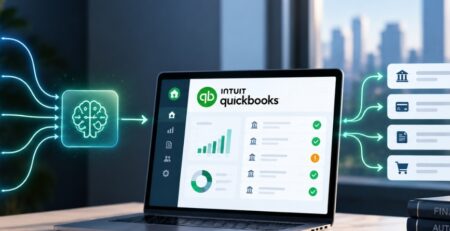
They fit at the points where judgment is routine but time consuming: categorizing, matching, validating and routing. One distinction matters before going further. According to Intuit, it has listed AI-enhanced features in QuickBooks. However there may be limitations in terms of access depending on the subscription level. Anything that reaches into your other systems, applies your company’s own policies, or routes work to named approvers is custom integration work built on the QuickBooks API. Both have a place. Confusing them is how projects get scoped wrongly.
Transaction Categorization and Validation
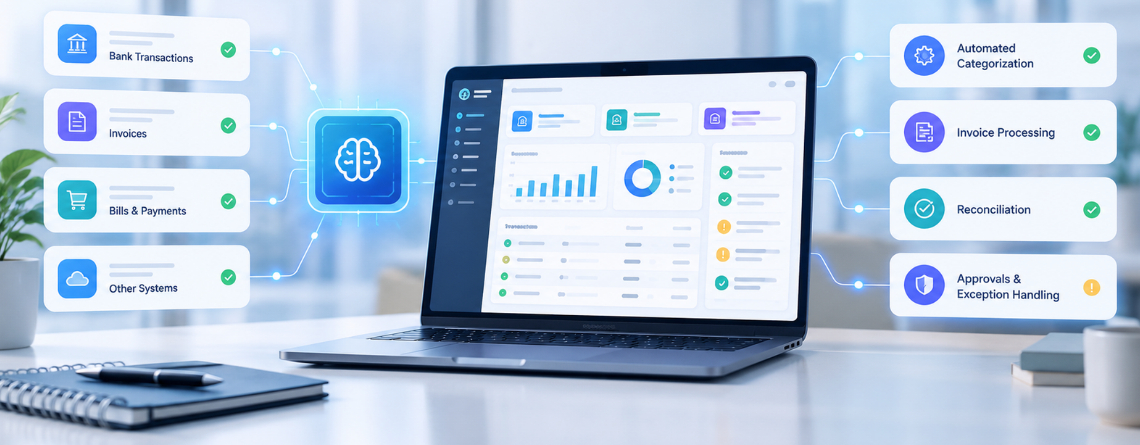
In QuickBooks AI bookkeeping, an officer suggests a category and accounts for transactions, then compares his suggestion with your accounting chart, vendor’s information and rules defined in advance such as structure constraints or classification tracking limits.
The part that earns its keep is what happens with low confidence items. A well built agent does not guess. It sends the transaction to a reviewer with the evidence it considered: the vendor’s past coding, the memo text, the related invoice. Reviewers then make a decision rather than start an investigation.
Bank Reconciliation and Exception Handling
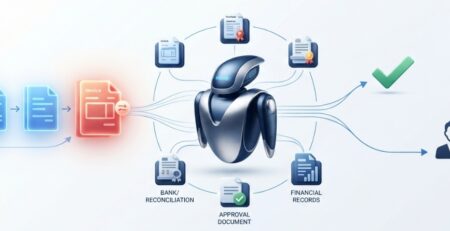
It is possible for agents to recognize unmatched bank transactions, identify inconsistencies in terms of amount or date, and aggregate probable matches for an accountant to check.
Here’s an example: a services enterprise receives payments via Stripe and the total amount will be determined as net, combined from many invoices. Matching those by hand takes real time every month. An agent that reads the payout breakdown and proposes the split gets the accountant to “confirm or correct” instead of “figure out.” Where the logic fails, such as a partial refund spanning two periods, the item goes to a person with the discrepancy already described.
Invoice Processing and Approval Workflows
Invoice data often starts outside QuickBooks workflow automation, in email attachments, a procurement tool, or a CRM. Agents can pull that information in, validate it against purchase orders, vendor records, and your coding rules, and create the bill or flag the mismatch.
The routing is where business logic lives. A $900 software renewal and a $90,000 contractor invoice should not follow the same path. Agents send exceptions to the right approver based on amount, department or vendor and keep a record of who decided what.
Financial Reporting and Accounting Reviews
Before close, agents can surface unusual activity: a vendor paid twice, an expense account that jumped well past its norm, a journal entry posted at an odd hour. They attach context so the reviewer is not starting from a blank screen.
This supports month end rather than replacing it. Your controller still signs off. The difference is that the review starts from a ranked list of things worth looking at, instead of a full ledger scan.
Integrating QuickBooks AI integration With Existing Business Systems
Through supported APIs, a clear map of where each piece of financial data originates and explicit rules for what flows where. This is the part of the project that decides whether the rest works and it is the part most often underestimated.
Connecting Banking, CRM, ERP, and Payment Platforms
Start by tracing each data point to its source of truth. Customer terms probably belong to the CRM. Payment status belongs to the processor. Purchase commitments belong to the ERP. AI bookkeeping QuickBooks should receive what it needs to record, not become a second copy of everything.
Intuit publishes API documentation and developer guidance for this, and the connections should be built within it. The real work is mapping: customer IDs that differ between systems, tax codes that do not line up, product names in the CRM that mean something different on the invoice. Teams that skip the mapping exercise end up with duplicate customers and orphaned payments within a quarter.
Keeping Existing Accounting Rules and Approvals Intact
The agent should follow your policies, not invent its own. If your capitalization threshold is $5,000, that lives in the agent’s rules. If only the controller can approve vendor bank detail changes the agent’s permissions reflect that.
Practically, this means giving each agent its own QuickBooks AI accounting integration solutions credentials with the narrowest access that lets it do its job. An agent that proposes entries does not need rights to post in locked periods or edit users. Segregation of duties applies to software the same way it applies to staff.
Managing Data Flow Across Accounting Applications
Systems will fall out of sync. A QuickBooks API integration call times out, a webhook does not fire, someone edits a record directly in QuickBooks while an agent is mid update. The design question is what happens next.
Good integrations assign each record a single owner, log every change with its source and retry failed syncs without creating duplicates. They also tell someone when a sync has failed. A silent failure is worse than a loud one, because the ledger looks fine until the reconciliation does not.

What Should Stay Under Human Control?
Anything where an error carries real financial, tax or regulatory consequence. Deciding this before deployment not after the first surprise, is the most important governance step in the project.
In most finance organizations, the list looks similar:
- High-value approvals. Set a threshold and keep a named person above it.
- Unusual entries. Anything the agent flags as out of pattern gets a human read.
- Journal adjustments. Accruals, reclassifications, and corrections stay with accountants.
- Tax-sensitive decisions. Sales tax treatment, contractor versus employee classification, and similar calls need a person who can defend them.
- Compliance and audit matters. Anything touching SOX scope, lender covenants, or auditor requests.
Underneath all of this sits the audit trail. Every agent action should be logged with what it did, what it saw, and who approved the outcome. If your auditors ask how a transaction ended up in the ledger “the AI did it” is not an answer. A log that shows the proposal, the rule applied, and the human approval is.
What Challenges Come Up When Integrating QuickBooks AI integration?
Most failures trace back to data and ownership not model quality. These are the patterns we would expect any team to hit.
| Integration challenge | Business impact |
| Inconsistent accounting data | Incorrect AI recommendations |
| Disconnected business applications | Incomplete financial information |
| Unclear approval responsibilities | Greater control risk |
| Duplicate transactions | Reconciliation problems |
| Limited monitoring | Undetected workflow failures |
The first row deserves the most attention. An agent trained on years of inconsistently coded history will reproduce the inconsistency, confidently. The remedies are plain. Write the business rules down. Map every system that touches the ledger.
Test against a sample of real historical transactions, including the messy ones. Then monitor continuously after launch, with alerts on sync failures, rising exception rates and approval queues that stop moving. None of this is exotic. It is the discipline that separates a pilot that quietly dies from one that expands.
How Does E2ESP Help Businesses Integrate QuickBooks AI integration?
E2ESP is a full-cycle AI software development company with more than two decades of enterprise software engineering behind it. For QuickBooks, the approach is to add an automation layer around your existing environment rather than replace it, built around your accounting rules, approval processes and exception paths, with human review for uncertain items.
In practice, the work covers:
- Reviewing current accounting workflows to find where integration gaps cause manual effort
- Designing QuickBooks integrations around the financial processes you already run
- Connecting CRM, ERP, banking, and payment platforms through supported APIs
- Building automation for repetitive tasks such as categorization, matching and invoice intake
- Implementing validation, approval and exception handling workflows
- Testing before launch and monitoring performance afterward
Details on scope are on our page for QuickBooks AI integration. Related reading: how AI accounting agents handle exceptions, financial reconciliation challenges AI can solve, and defining automation and human oversight.
How Do You Know If Your Business Is Ready for QuickBooks AI Integration?
You are ready when you can name the workflow you want to fix, trust the data feeding it, and say who approves what. A short assessment covers this:
- Find where the hours go. Identify the accounting activities consuming the most time. Reconciliation and invoice intake usually top the list.
- Audit what you already have. Review existing QuickBooks integrations and the quality of the data they produce.
- Mark the human checkpoints. Decide where review is essential and write it down.
- Start with one workflow. Choose a single high impact process rather than automating everything at once.
- Set measurable targets. Fewer exceptions, faster reconciliation, fewer manual corrections. Pick numbers you can check at 90 days.